Korea runs on apps. Navigating, getting a taxi, translating a menu, booking a cheap room, finding a bus ticket — all of it is done on your phone. The good news: most of the key apps work for foreigners with international phone numbers and credit cards. Here's exactly what to download before you land.
Navigation
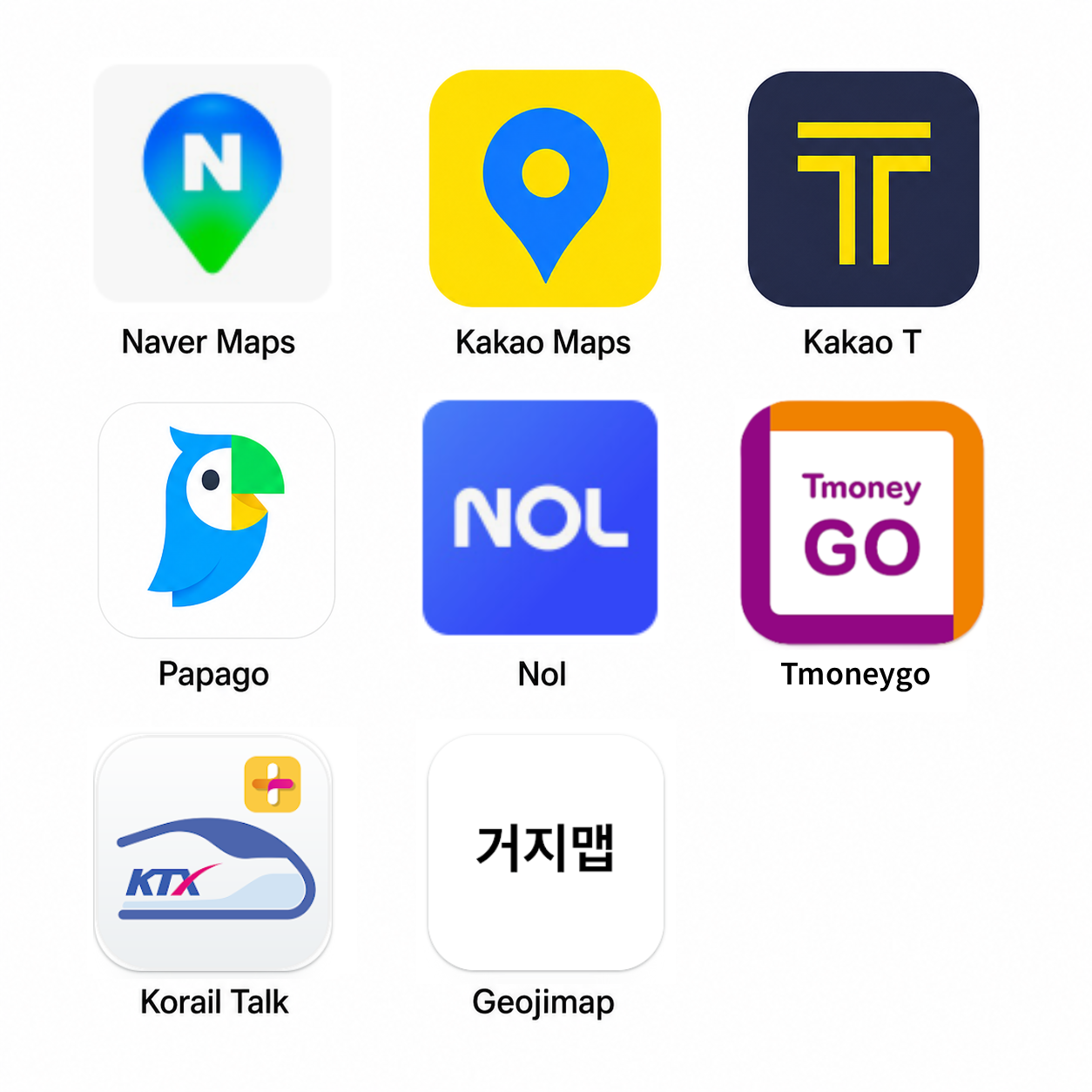
1. Naver Maps (네이버 지도) — Replace Google Maps
Google Maps works in Korea but is noticeably less accurate for transit timing, restaurant hours, and walking routes. Naver Maps is what locals use and the data is far better.
What it does well:
- Real-time subway and bus routes with exact departure times
- Restaurant listings with customer photos of dishes and prices
- Walking routes that follow actual pedestrian paths (not just roads)
- Live traffic and estimated taxi fares
English available? Yes — the app has an English mode. Search, directions, and most restaurant info displays in English. Switch in Settings → Language.
Foreigner setup: No Korean phone number needed. Sign in with Google or Apple account, or use without an account.
2. Kakao Maps (카카오맵) — Good Backup
Kakao Maps is the other major Korean navigation app. Nearly as good as Naver Maps. Useful because it integrates with Kakao T (the taxi app) — tapping a destination in Kakao Maps lets you directly call a Kakao T taxi to that location.
Taxis
3. Kakao T — The Only Taxi App You Need
Kakao T works exactly like Uber: tap a destination, see the fare estimate upfront, match with a driver, pay by card. Taxi drivers in Korea often don't speak English, so being able to enter your destination by address (or Kakao Maps pin) is extremely useful.
Foreigner setup:
- Download Kakao T
- Sign up with your international phone number (SMS verification)
- Add a Visa or Mastercard — international cards accepted
Pricing: Base fare ₩4,800. A 20-minute city ride typically runs ₩8,000–₩14,000. Night surcharge applies after midnight (+20%). Much cheaper than taxis in Western cities.
Black/Premium option: Kakao T also offers premium black car service at about 2× the price — sometimes useful for airport runs with luggage.
💡 Kakao T tip: if you can't get a match (busy times), try "Kakao T Intercity" for longer trips, or just flag a yellow/orange cab on the street and show the driver your destination on the map screen.
Translation
4. Papago — Better Than Google Translate for Korean
Papago is Naver's translation app and it significantly outperforms Google Translate on Korean ↔ English. The difference is especially noticeable for:
- Menu items and food descriptions
- Handwritten signs (camera mode)
- Natural conversation phrases
Camera mode: Point your camera at any Korean text — menu, sign, label — and it translates in real-time overlaid on your camera view. This alone makes it indispensable.
Download Google Translate too — for offline translation when you don't have data, and for non-Korean languages.
Accommodation
5. NOL (by Yanolja / 야놀자)
NOL is the international version of Yanolja, Korea's biggest accommodation app. It lists budget motels, guesthouses, and mid-range hotels at prices 15–30% below what you'd find on Booking.com for the same properties.
Why foreigners can use it: International phone number registration, Visa/Mastercard payment, English interface.
Best use case: Same-day budget motel bookings in Seoul. After 5pm, "tonight only" rates regularly drop to ₩30,000–₩40,000 for a clean private room. See our full guide: Budget Accommodation in Korea.
Transport Booking
6. 티머니GO (T-money GO) — Intercity Express Bus
The express bus is almost always cheaper than KTX for intercity travel (see: Getting Around Korea). 티머니GO is the most comprehensive intercity transport app in Korea — it covers express buses, city buses, KTX, and even ferries in one place.
App: Search "티머니GO" or "T-money GO" on the App Store or Google Play
What it does: Book intercity express buses (고속버스), intercity buses (시외버스), and check T-money card balance all in one app. Real-time seat availability, departure times, and platform info.
Foreigner use: International cards accepted. You can book on the day of travel or in advance. Buses leave frequently on major routes (Seoul–Busan every 20–30 minutes) — for non-holiday travel, same-day booking is fine.
Tip: The app also works as a T-money card manager — you can check your balance and recharge history without going to a kiosk.
7. Korail Talk — KTX Train Booking
The official KTX/Korail booking app. English available. International cards accepted. Needed if you're buying a Korail Pass or booking specific train times for the Busan or Gyeongju routes where speed matters.
Food Finding
8. 거지맵 (Geoji Map) — Cheap Restaurant Finder
"거지" means beggar — this community-sourced map shows restaurants where you can eat a full meal for ₩5,000–₩8,000. Used by Korean office workers and students to find affordable lunch spots.
Foreigner use: Interface is in Korean but the map pins show locations. Tap a pin, get an address, paste it into Naver Maps. Use Papago to read the menu when you arrive.
Full guide: Budget Eating in Korea.
Quick Reference: App Download List
| App | For | Korean # needed? | Intl card? |
|---|---|---|---|
| Naver Maps | Navigation, restaurants | No | — |
| Kakao T | Taxis | No (intl OK) | ✓ |
| Papago | Translation / menus | No | — |
| NOL (Yanolja) | Budget accommodation | No (intl OK) | ✓ |
| 티머니GO | Intercity bus + transit | No | ✓ |
| Korail Talk | KTX train booking | No | ✓ |
| 거지맵 (Geoji) | Cheap restaurants | No | — |
What About KakaoTalk?
KakaoTalk is Korea's dominant messaging app (think WhatsApp but used by 95% of Koreans). You don't need it for navigation or transit, but it's useful if you're coordinating with locals, guesthouses that message you through it, or tour operators. Sign up with an international number — it works fine.
More Korea Travel Guides
Budget eating, cheap transport, accommodation hacks — all in one place.
Browse Korea Guides →